
We’re upgrading our digital banking services with a new look and new features to deliver a more modern and customizable user experience.
Modern. Intuitive. Customizable to you.
We introduced a more modern digital banking experience on Oct. 7, 2026, with a refreshed design and new features to make managing your money easier and more intuitive. We invite you to review the updates below to make the most of the new experience.
Personalize your experience – customize the name that greets you at sign-on, choose the widgets you want to see, and select the account layout you prefer – tile or list view.
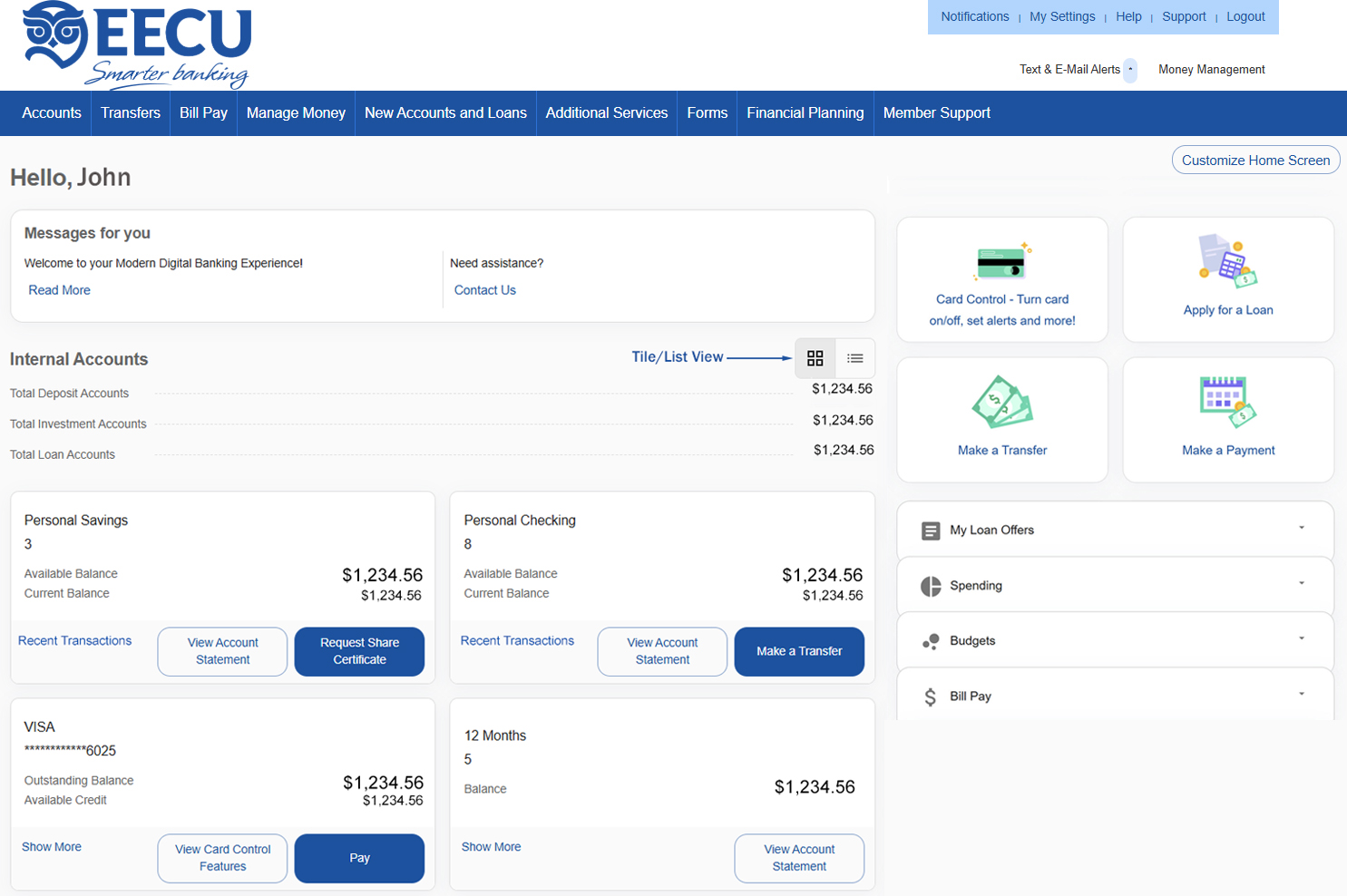
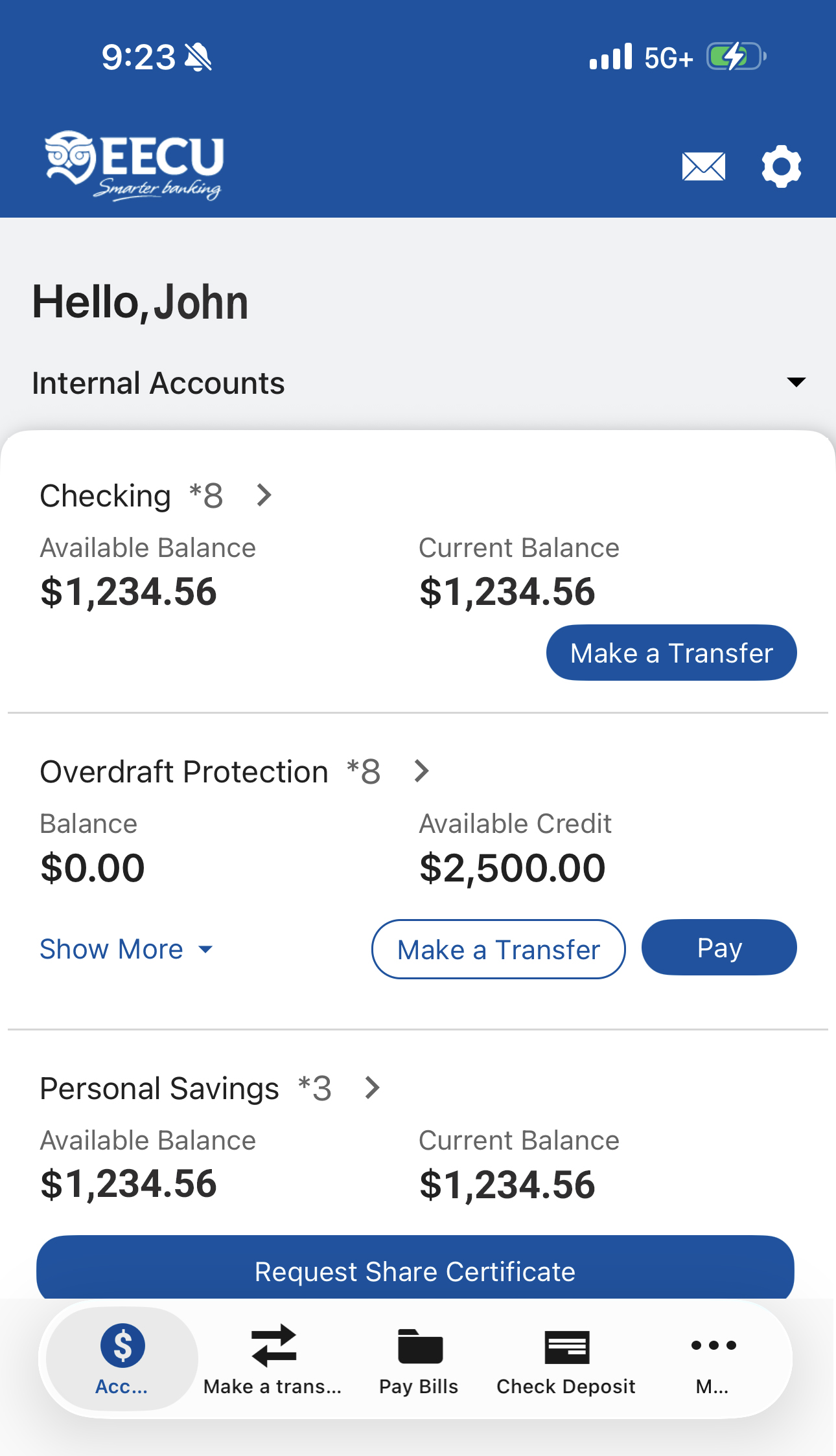
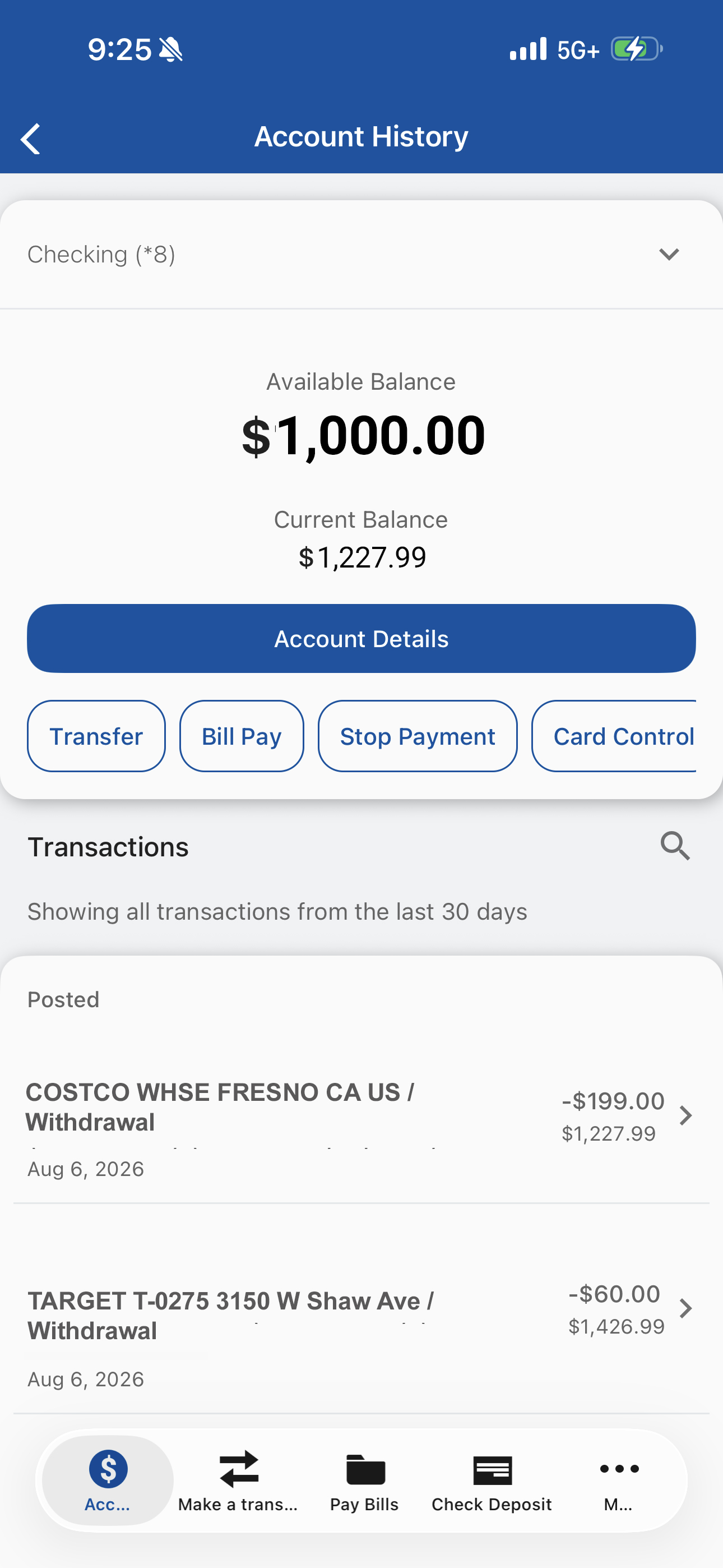
Customize button is located at the bottom of the Mobile App Accounts screen.
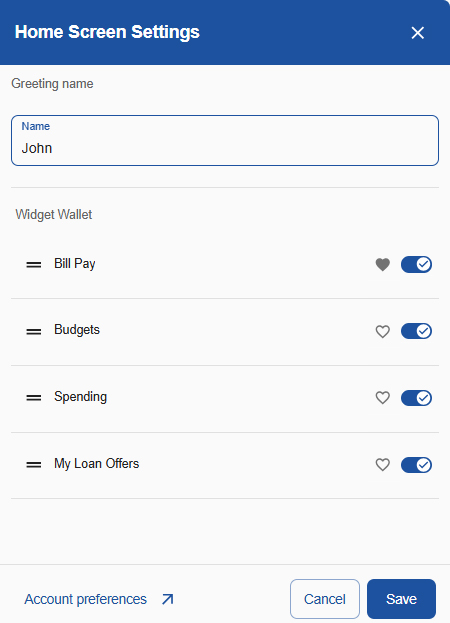
Change your greeting name – click the Customize Home Screen button to update your welcome greeting name at any time.
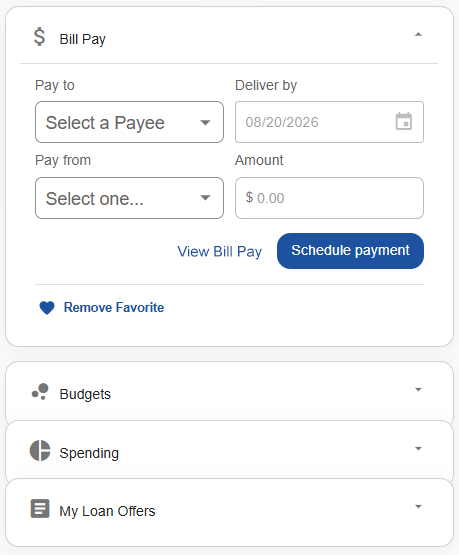
Customize the Widget Wallet – reorder, favorite, collapse, and hide side widgets to fit your style. Favorites are pinned to the top in an expanded view for easy access.
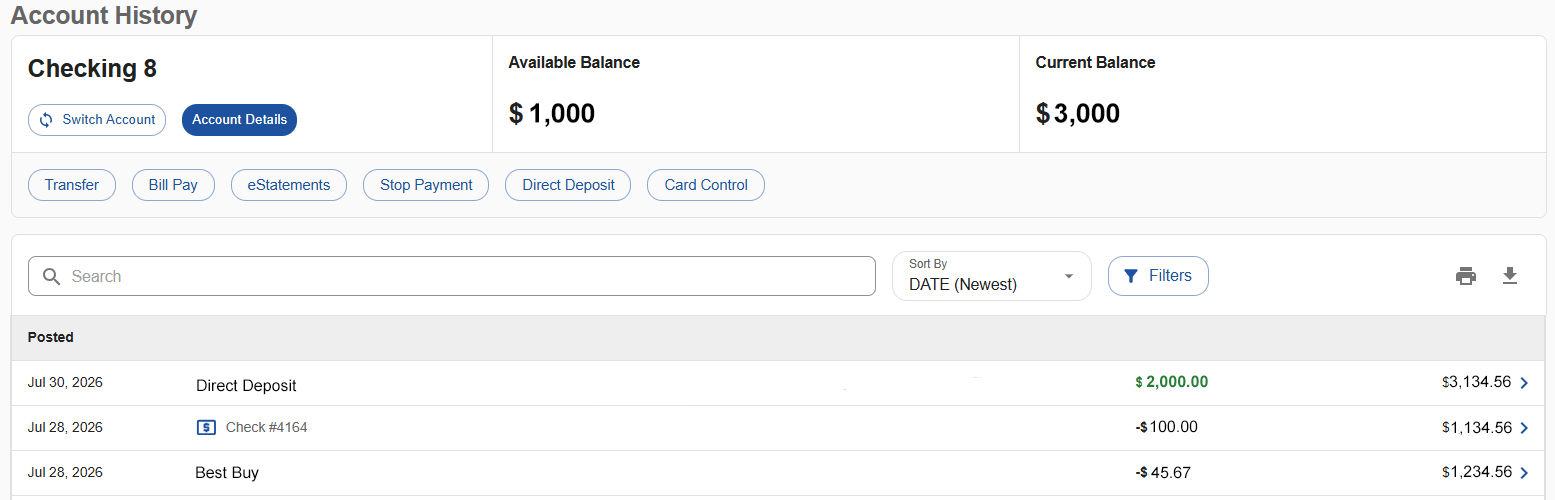
View important account details in an easier-to-read format – available and current balances are front and center and you can easily search, sort and filter transactions to quickly find what you’re looking for. Click a transaction row to view details and check images, if available, for each transaction.
Save time with one-click access to frequently-used tools – select a quick-action button to easily switch between account suffixes, transfer money, pay bills, and more.
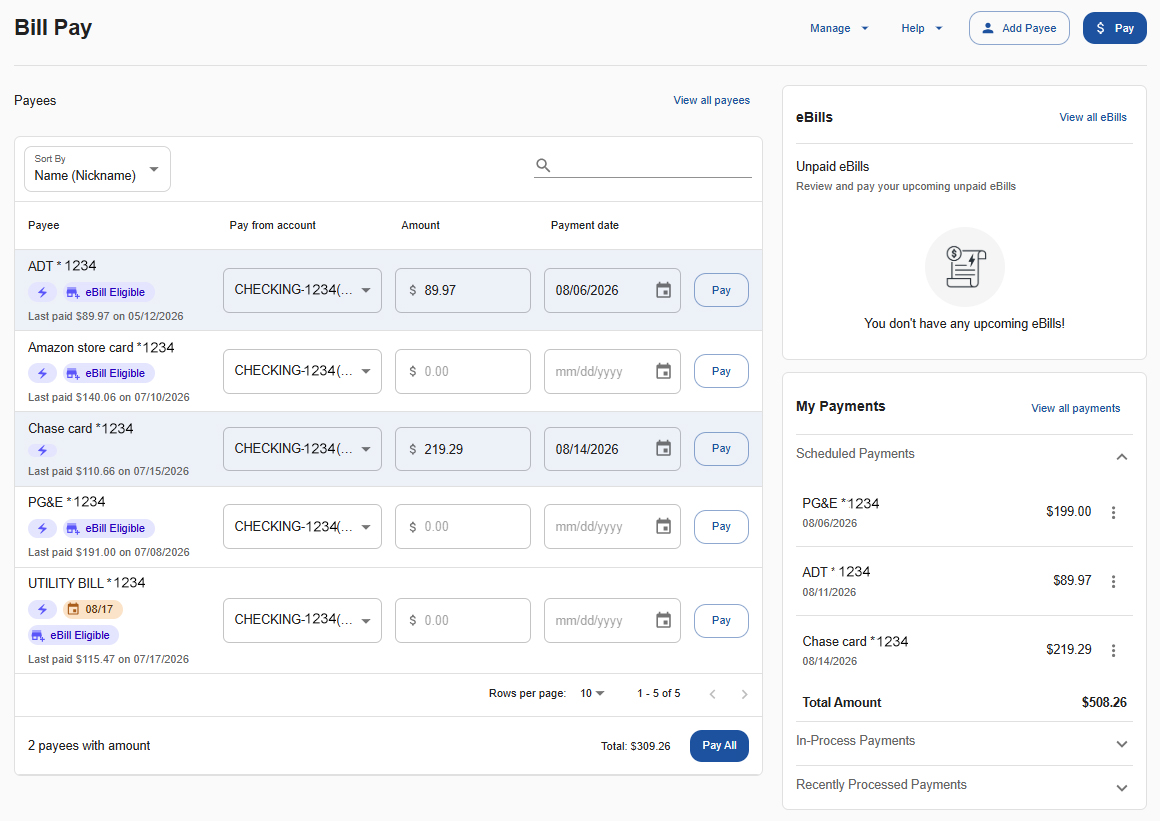
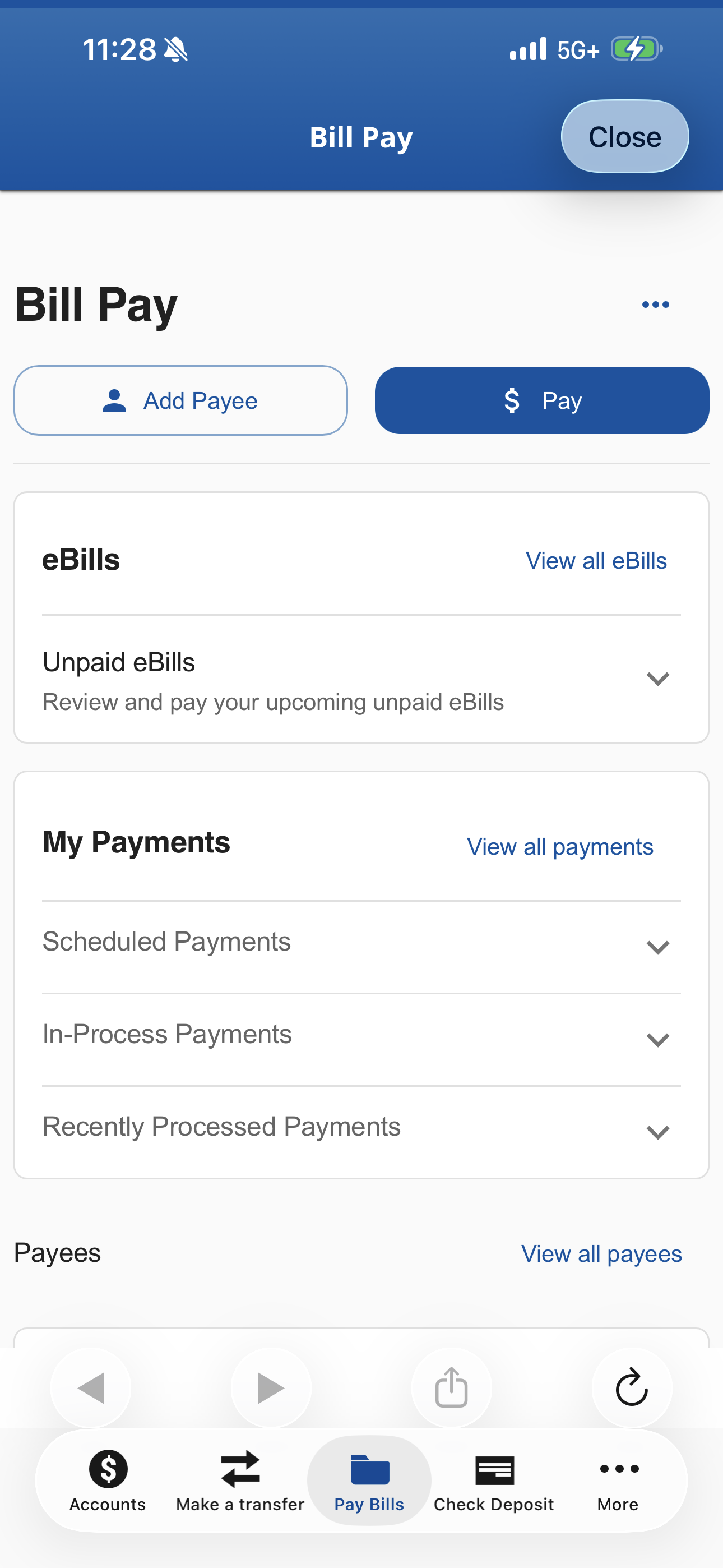
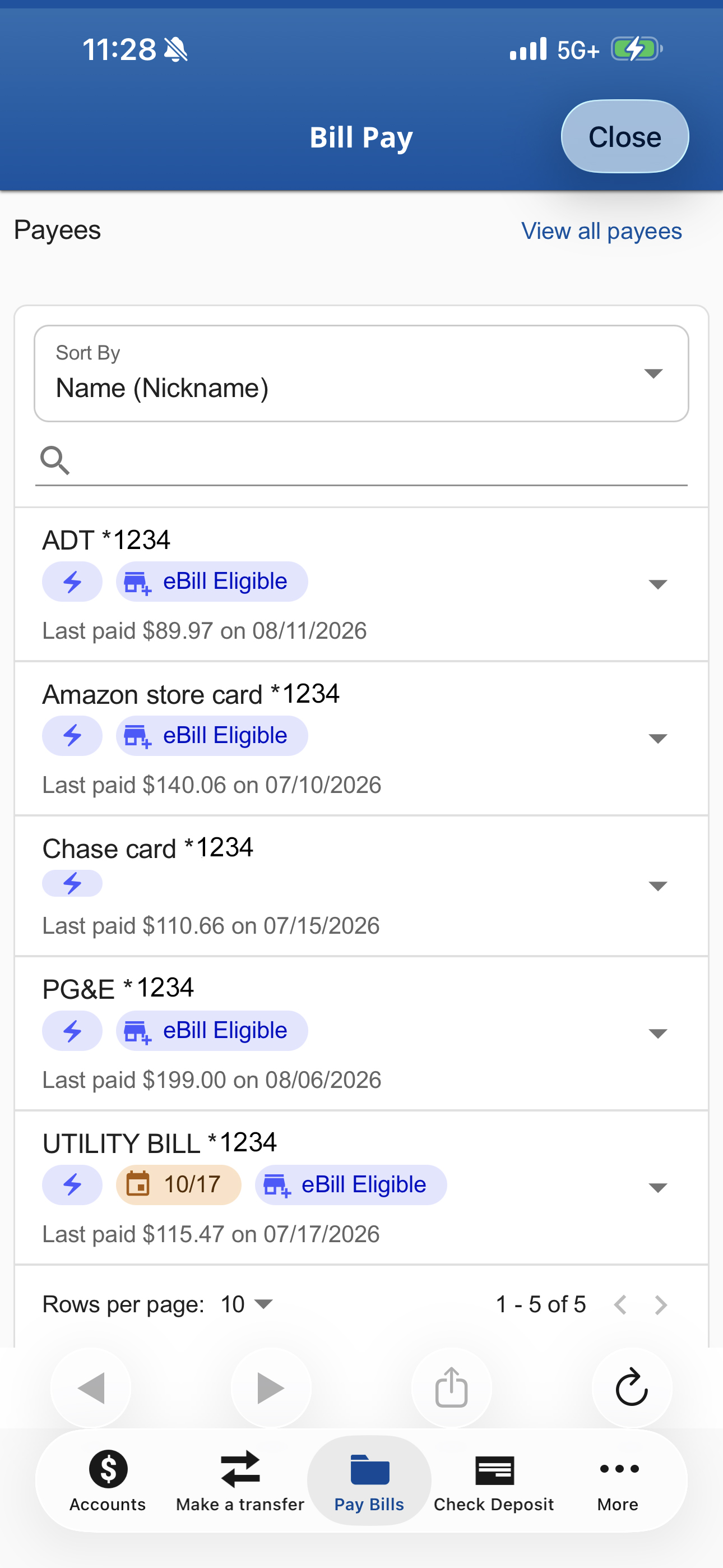
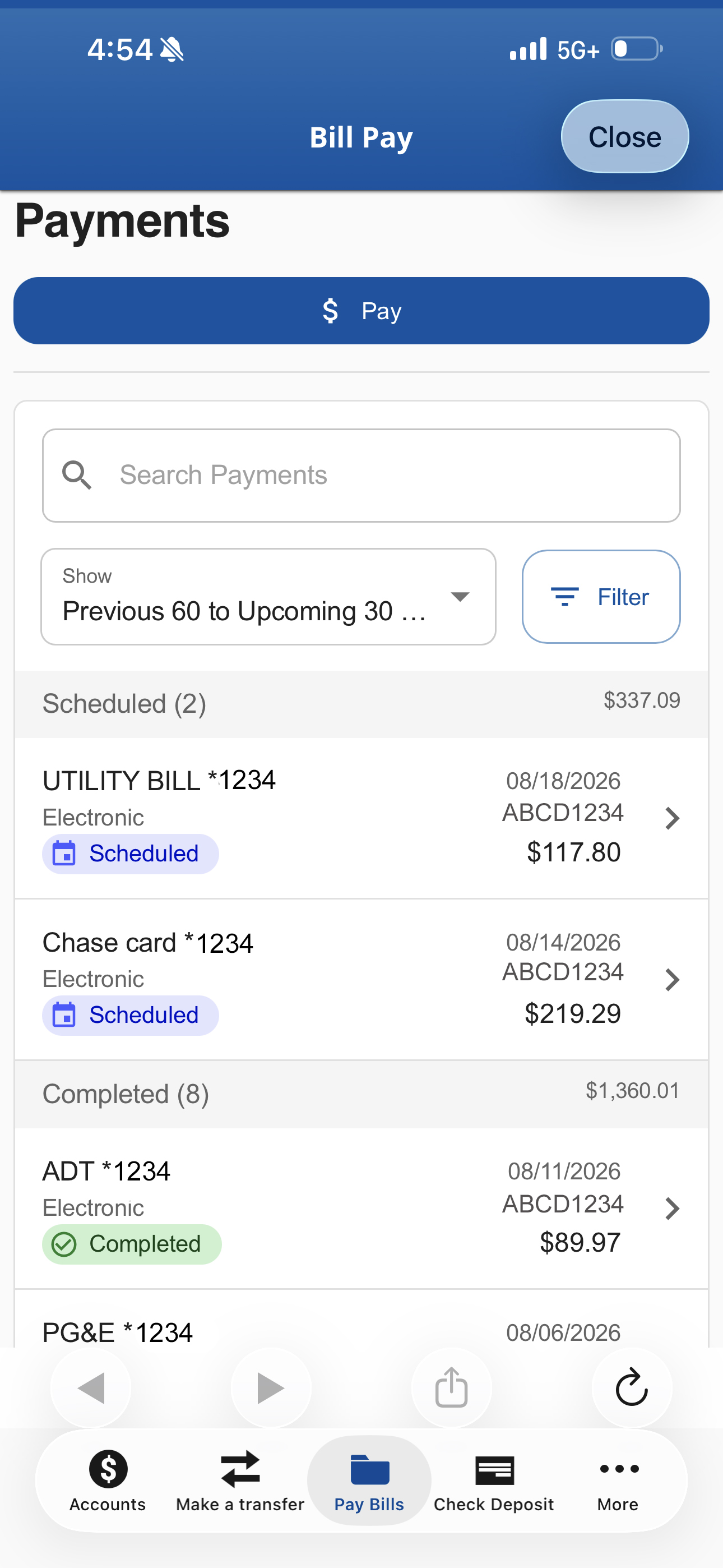
Enjoy a more modern Bill Pay experience – the redesigned Bill Pay screen is easier to navigate, with enhanced payment sorting and scheduling features for greater control.
See payment status in the new My Payments widget – collapse and expand sections to view scheduled, in-process and recently processed payments. Click the three dots to view, edit and delete scheduled payments.
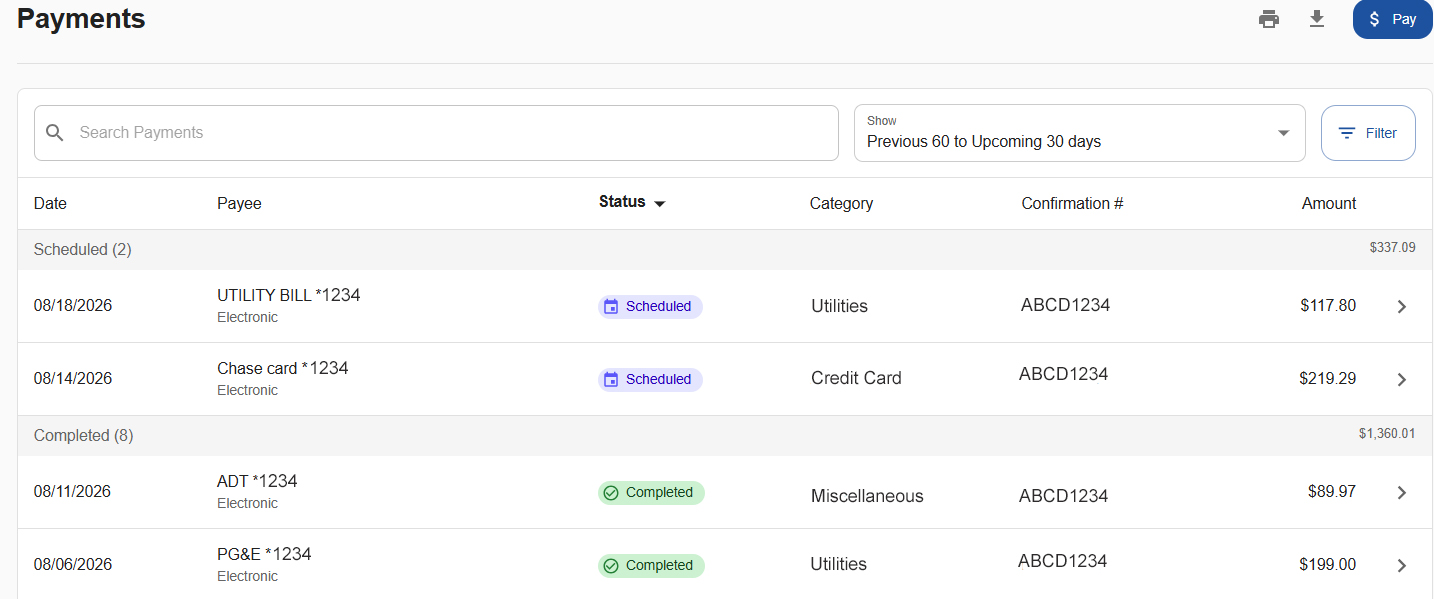
View additional payment details – new Status, Category and Confirmation # columns provide additional payment details and sorting options. Click a Payment row to view additional details.
Find answers to frequently asked questions about the upgrade. View additional digital banking FAQs here. Can’t find what you’re looking for? Contact us!

Thank you for voting for us!
Helpful tips, updates, and insights to guide your financial journey.
Get started today with the support and resources to achieve your financial goals.